
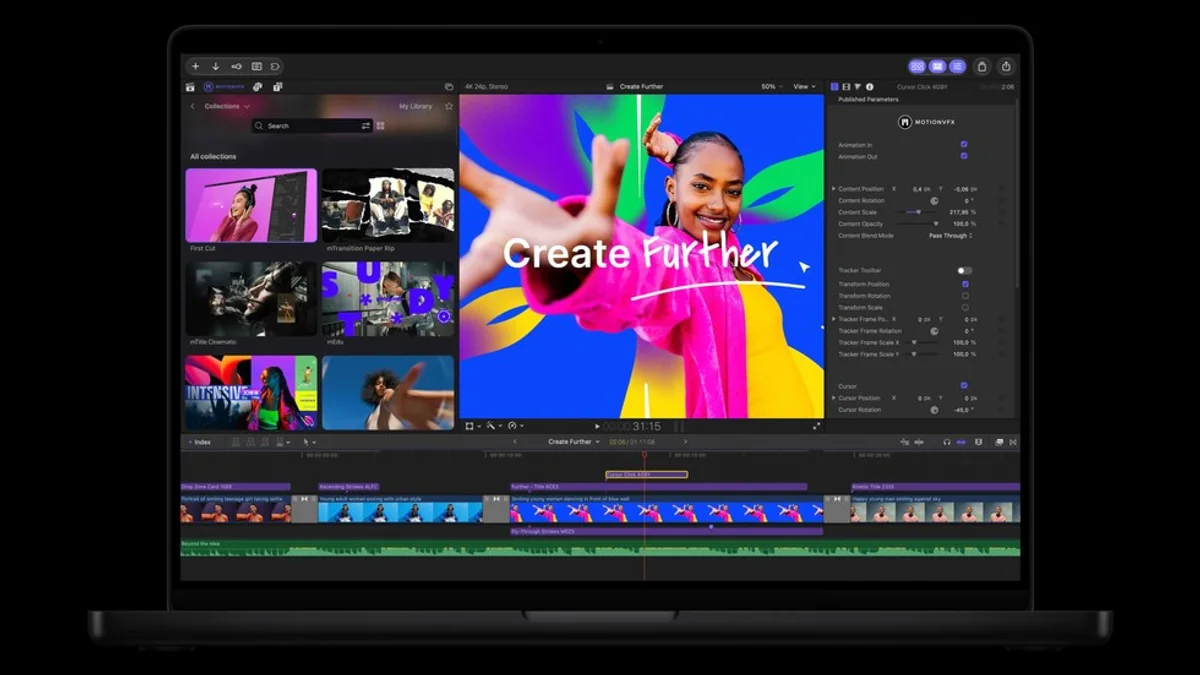
Video editing rarely ends with arranging footage on a timeline. Titles need to be designed, transitions adjusted, subjects isolated and supporting images prepared. Those tasks often involve additional plug-ins, asset libraries or separate applications.
Apple's latest Creator Studio announcement focuses on bringing more of that work into the editing environment. Final Cut Pro for Mac will include MotionVFX content directly inside the application, giving editors access to thousands of titles, transitions, graphics, templates and effects.
The integration also covers more specialized operations, including rotoscoping, tracking and color grading. MotionVFX has long supplied tools for creative video workflows, but Apple is now making a substantial selection available through its own software subscription.
Effects are becoming part of the editing environment
The practical advantage is access. Editors assembling trailers, short films, promotional videos or social media content can browse a larger collection of visual elements without repeatedly moving between independent asset services.
MotionVFX includes ready-made motion graphics and transition designs, alongside tools supporting more technical operations. That combination is useful for smaller production teams in which one person may be responsible for editing, graphic design and finishing.
Built-in templates do not remove the need for customization. A sophisticated graphic must still fit the visual identity of the production, while tracking and rotoscoping can require significant corrections when footage contains difficult movement, occlusion or lighting.
Apple is extending MotionVFX integration to Motion as well. The motion graphics application gains tools for cinematic grading, 3D camera tracking and quick selections, in addition to refinements to keyframe easing and a new Displacement filter.
These changes develop Final Cut Pro and Motion together without collapsing the two into a single application.
Stock footage enters the timeline workflow
Creator Studio's Content Hub is expanding to include stock video, and Final Cut Pro is gaining direct access to the library. Editors will be able to browse curated footage, photos and backgrounds from within the application.
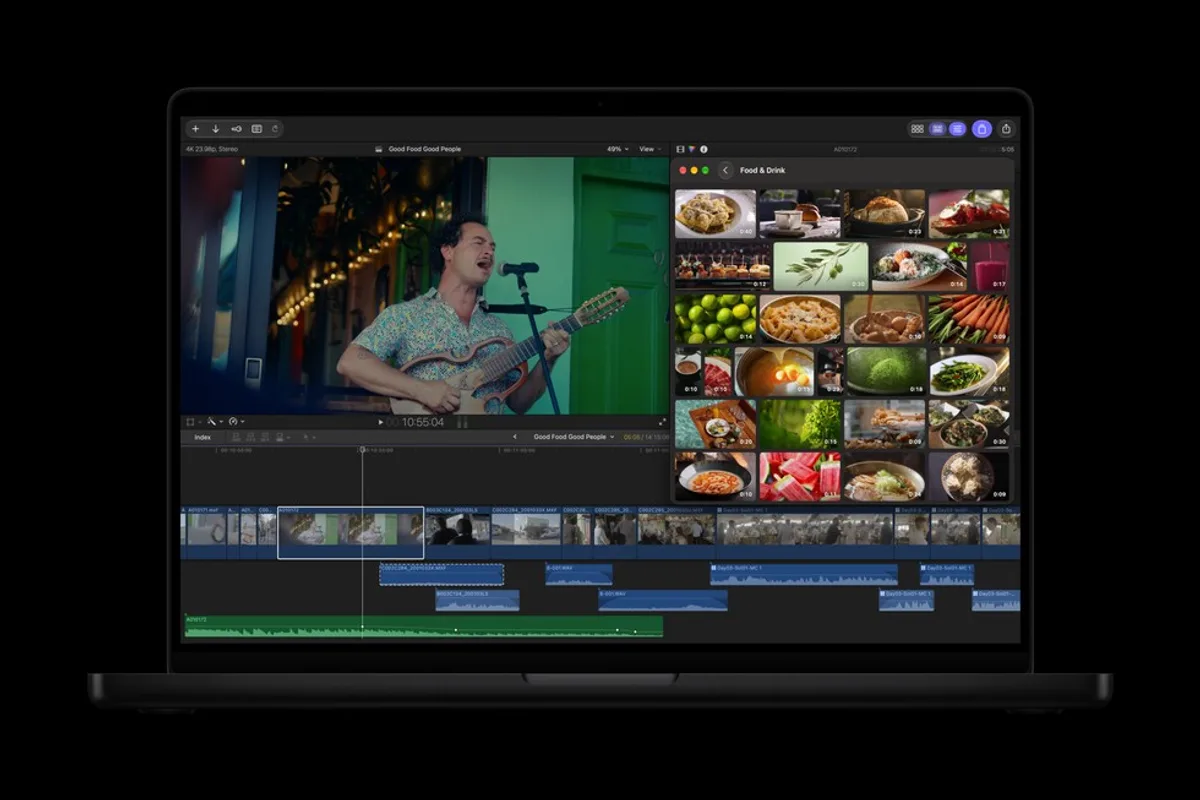
A stock library is useful when productions require establishing shots, cutaways or temporary imagery during an early edit. Being able to find that material in the same workspace may save time, especially in fast-moving commercial and online video projects.
The selection is curated by Apple, however, and the announcement does not establish that it can replace specialized footage libraries for every production. Availability, visual variety and the suitability of particular assets remain important considerations.
For documentary work, the distinction between source footage and illustrative stock material remains essential. Convenient access does not change the editorial responsibility to avoid presenting unrelated images as authentic coverage of an event.
Pixelmator Pro becomes a closer part of postproduction
Apple is improving the way images move between Final Cut Pro and Pixelmator Pro. Editors can open an image from their timeline, modify it in Pixelmator and have those changes reflected automatically in the video project.
That interaction is especially relevant for productions using still photography, promotional artwork or graphics that require repeated revisions throughout the edit.
Pixelmator Pro is also getting Generate Fill, an AI-powered feature that changes selected areas of an image based on a written instruction. Apple says the system considers lighting, perspective and textures when generating replacements.
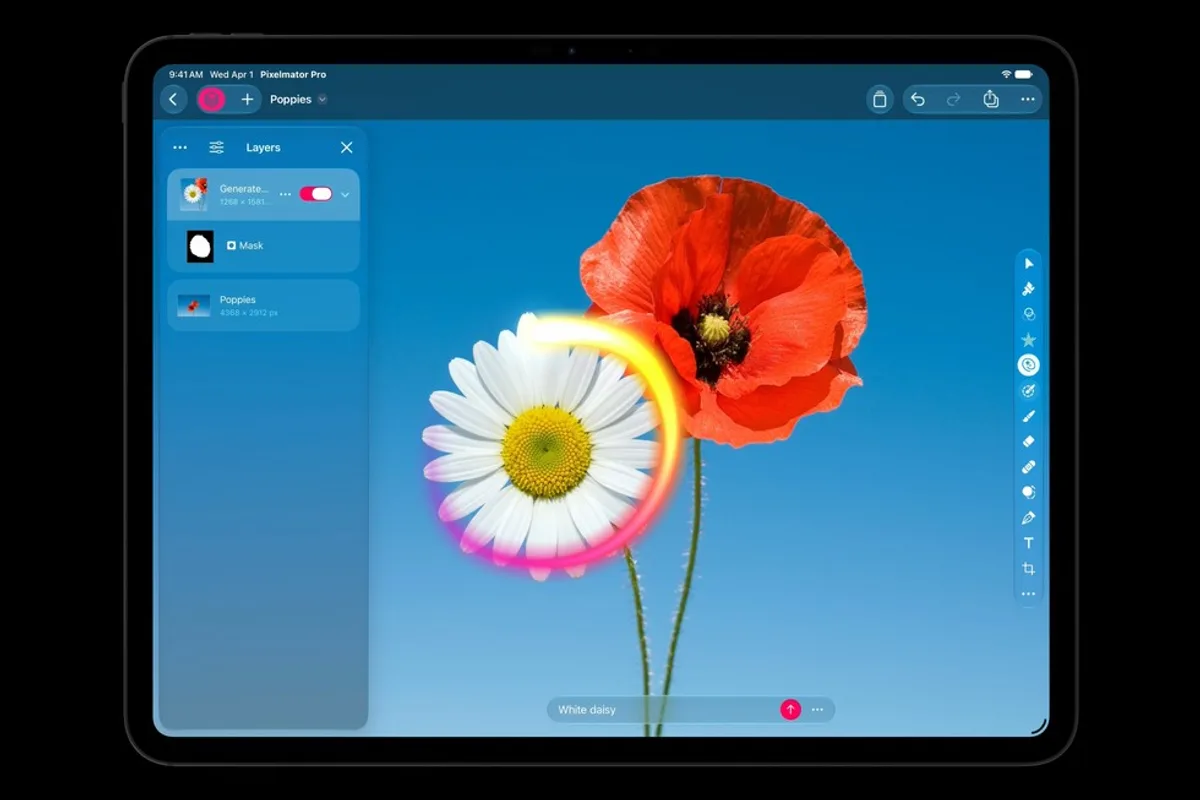
Generated elements can be inserted into separate layers and refined through masking. This preserves more manual control than a workflow that simply replaces an entire image with a flattened result.
Such tools may accelerate concept work, background preparation and graphic design. They also introduce familiar questions around authenticity when generative changes are applied to images that audiences might otherwise interpret as documentary evidence.
Smaller editing improvements still matter
Final Cut Pro gains additional keyframe easing options, allowing finer control over how animated properties change over time. Editors can also disconnect clips from the primary storyline and move them elsewhere in the timeline.
Apple is expanding transcription support by 23 languages. This may improve captioning and footage searches in multilingual projects, though recognition accuracy will still depend on audio quality and the languages involved.
Compressor is receiving support for encoding Cinematic mode footage captured with the iPhone 18 Pro and iPhone Duo. The addition strengthens Apple's camera-to-editing workflow, but it is a specific compatibility improvement rather than a complete overhaul.
Apple plans to release the updates through the App Store in November 2026, without specifying an exact day. Existing Creator Studio subscribers will receive them without an additional update charge.
Standalone versions of Final Cut Pro, Motion, Compressor and other professional applications remain available on the Mac App Store. Certain features and premium resources, however, are tied to Creator Studio subscriptions.
For professional editors, the unanswered questions concern the scope of the bundled MotionVFX library, the flexibility of its assets and the reliability of cross-application projects under sustained production workloads.